Vertical Video Size and Format: Platform Rules for Brands
Vertical video is shot in 9:16, in practice at 1080x1920 pixels. Length limits for Reels, Shorts and TikTok, ad safe zones, and the mistakes brands make when moving from horizontal to vertical.
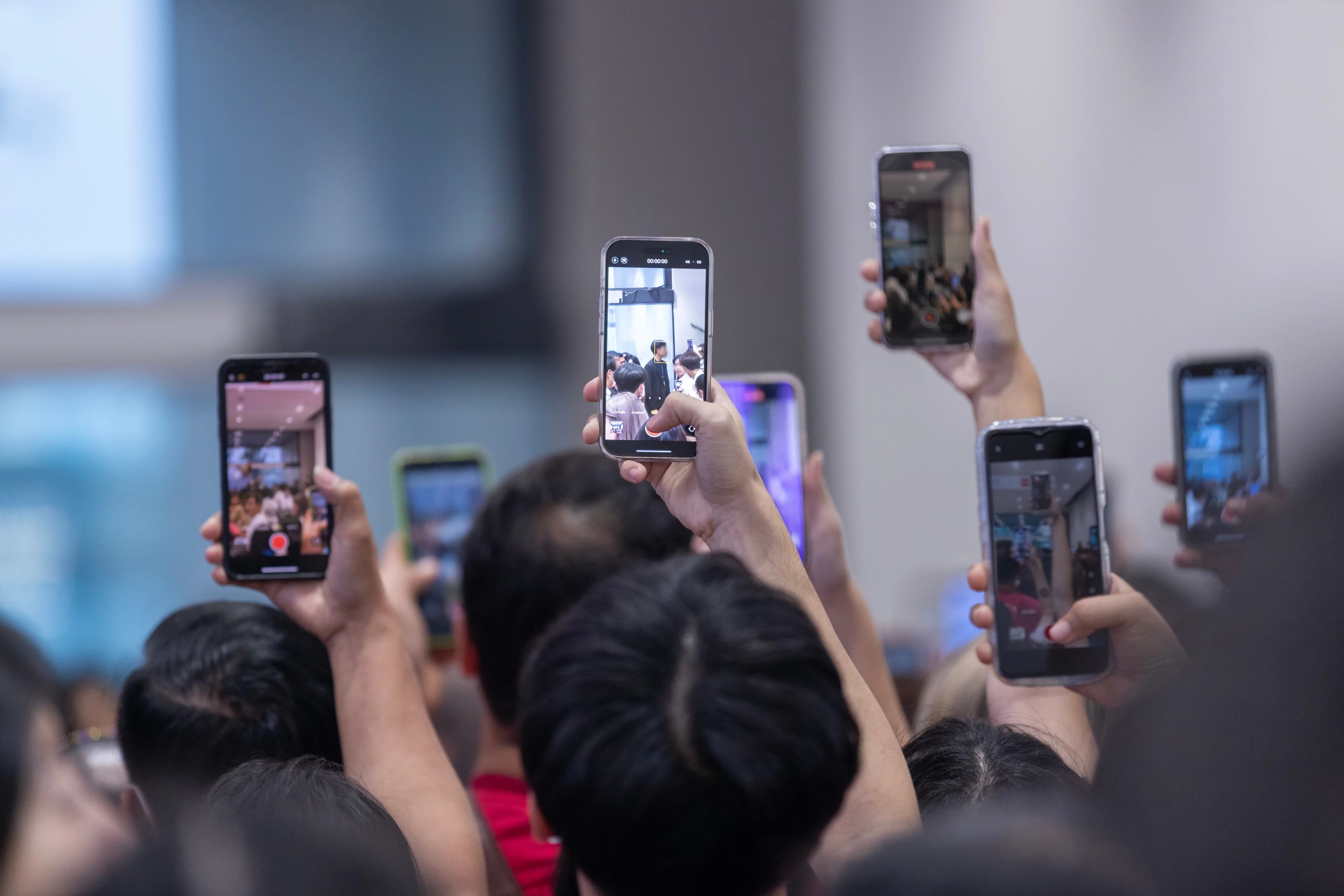
Vertical video is video made in a 9:16 aspect ratio, the shape that fills the whole screen when you hold a phone upright. In practice, the most common export size is 1080x1920 pixels. Instagram Reels, YouTube Shorts, TikTok and Facebook Reels all show this format full screen.
For brands, the real issue is not knowing the size but knowing each platform's length limits, the areas where the interface sits on top of the video, and the rules for ads. The details below come from the platforms' own help and advertising pages as of September 2026. These limits change often, so check the current page before a large production.
What size should a vertical video be?
The aspect ratio of vertical video is 9:16. 1080x1920 pixels is the standard Full HD version of that ratio and is enough for organic posts in most cases. Shooting at a higher resolution (for example 4K vertical, 2160x3840) leaves room to tighten the frame in the edit, but because platforms run uploads through their own compression, the quality viewers actually see is limited.
The recommendations for ads are slightly different. Meta recommends a 9:16 ratio and a resolution of 1440x2560 pixels for Instagram Reels ads. TikTok's Ads Manager documentation gives vertical 9:16 as the recommended format and sets the minimum resolution at 540x960 pixels.
Square (1:1) and 4:5 videos also play in the feed, but in the full-screen experience they leave empty space at the top and bottom. If you are choosing a single main format, shooting in 9:16 and preparing a separate 4:5 cut when needed loses the least.
What are the length limits on each platform?
The length limit directly affects where, and to whom, a vertical video is shown:
- YouTube Shorts: According to YouTube's help page, videos uploaded on or after 15 October 2024 with a square or vertical aspect ratio and a length of up to 3 minutes count as Shorts. The same page states that Shorts longer than 1 minute with an active Content ID claim are blocked worldwide. A brand's Shorts that use licensed music and run longer than 1 minute can therefore disappear entirely.
- Instagram Reels: According to Instagram's Reels page, you can record Reels of up to 20 minutes in total, but Reels longer than 3 minutes are not recommended to new audiences. If you want to reach new viewers in Explore and the Reels feed, 3 minutes is the practical upper limit.
- TikTok ads: TikTok's documentation for auction in-feed ads allows ad videos of up to 10 minutes and files up to 500 MB, excluding Spark Ads.
- Meta Reels ads: Meta's ads guide gives a range of 0 to 15 minutes for Instagram Reels ad videos.
If you do not want a video on YouTube to be classified as a Short, YouTube recommends using a wider aspect ratio such as 16:9.
What is the safe zone, and why does it matter?
In a vertical video, the profile name and menu sit over the top of the screen; the caption, music details and call-to-action button sit over the bottom; and the like and comment icons sit along the right edge. A logo, price, subtitle or product name placed in these areas becomes unreadable.
For Reels ads, Meta recommends keeping at least the top 14 percent, the bottom 35 percent and 6 percent on each side free of text, logos and key creative elements. In a 1080x1920 video, that means a band of about 270 pixels at the top and about 670 pixels at the bottom. TikTok also offers downloadable safe zone templates in its ad documentation.
It is safe to apply the same logic to organic video: keep important text in the middle of the screen and subtitles a little above the bottom band.
Is it enough to convert horizontal video to vertical?
Usually not. Cropping a horizontally shot video to 9:16 means throwing away about two thirds of the frame. In a scene with two people talking, one drops out of the frame; in a product shot, the edges of the product are cut off; on-screen text is left half visible.
Automatic reframing tools and AI-assisted "horizontal to vertical" converters can work for a single person talking to camera. But for product, location or group shots, always check the result one by one.
The more efficient route is to plan the shoot for both formats from the start:
- Mark the scenes where you will use the camera vertically separately in the shot list.
- If horizontal and vertical will both be used, keep the main subject in the center of the frame and shoot wide; you can get both cuts in the edit.
- Instead of burning on-screen text into the footage, place it separately for each format during editing.
We walk through the whole process from shoot to publishing in our guide to social media video production.
What content rules should brands follow in vertical video?
Even with the right format, it is the edit that keeps viewers watching. These are the mistakes we see most often in vertical video, and how to fix them:
- The first seconds: A video that opens with a logo animation is a video viewers swipe past. Show the topic or the result in the first frame and the brand afterwards.
- Sound-off viewing: Some people will watch your video with the sound off. If there is speech, add subtitles and keep them inside the safe zone.
- One idea: You cannot deliver three messages in a 30-second video. Let each video answer one question or show one product.
- Platform language: You can share the same video everywhere, but the caption, cover image and opening line should change for each platform's audience.
- Ad disclosure: Rules differ by market. In Turkey, an amendment to the Commercial Advertising and Unfair Commercial Practices Regulation, in force since 1 August 2026, makes an "Ad" or "Promotion" label and the advertiser's name mandatory in promotional videos made with influencers.
In short: a vertical video checklist
- Ratio 9:16, export at 1080x1920; Meta recommends 1440x2560 for ads.
- Shorts can be up to 3 minutes; Shorts over 1 minute with a Content ID claim are blocked.
- Reels can be up to 20 minutes, but Reels over 3 minutes are not recommended to new audiences.
- Keep the top 14 percent, bottom 35 percent and 6 percent on each side free of text and logos.
- Put vertical into the shoot plan from the start instead of cropping horizontal footage.
- Show the topic in the first frame, add subtitles and deliver one message.
If you would like support with shooting and editing vertical video, take a look at our photo and video service.
How did this land for you?
Be the first to react
Found it useful? Share it:
Frequently asked questions
Should I shoot vertical video in 4K?
It is not required. Shooting vertical 4K leaves room for zooming and alternative cuts in the edit, so it helps if you plan to get several videos from one shoot. But because platforms compress uploaded videos, the difference for viewers is limited, while file size and transfer time go up.
What size should a Reels cover image be?
Reels play at 9:16 in the feed but can appear as a cropped version in the profile grid. Preparing the cover at 9:16 and keeping the title and any face in the center of the image keeps them from being cut off in either view. Check the cover in the preview before publishing.
Is it a problem to upload the same vertical video to Reels, Shorts and TikTok?
Technically it works, since all three platforms support 9:16. Watch the length limits, though: a video longer than 3 minutes does not count as a Short and is not recommended to new audiences on Reels. Uploading a clean export rather than a video that still carries another platform's watermark or interface elements looks more professional.
Which microphone should I use for vertical video?
In talking videos, sound quality keeps viewers more than picture quality. A wireless lavalier microphone attached to a phone or camera usually picks up less background noise than the built-in microphone. Recording a short test before the shoot and listening with headphones prevents audio problems that cannot be fixed later.
Sources
- Understand three-minute YouTube Shorts - YouTube Help — YouTube Yardım
- Instagram Reels: Create & Share Short Videos | About Instagram — Instagram
- Instagram Reels Video Reklamı Özellikleri | Facebook Reklamları Kılavuzu — Meta
- TikTok Auction In-Feed Ads | TikTok Ads Manager — TikTok
- Ticari Reklam ve Haksız Ticari Uygulamalar Yönetmeliğinde Değişiklik Yapılmasına Dair Yönetmelik — Resmî Gazete, 1 Temmuz 2026
Related articles
- Industry News
Sora 2 Shutdown: What Changed for Brands Using AI Video
OpenAI has discontinued Sora. Here are the shutdown dates, how to export your videos, what to do if your workflow depended on the Sora 2 API, and which rules apply to AI-generated ad videos.
5 min read - Industry News
Suno Copyright and Watermarks: Can Brands Use Suno Music?
Who owns a song you make with Suno, and can you use it in an ad or on YouTube? The free vs paid plan difference, the watermarking decision Suno announced in August 2026, and a checklist for brands.
5 min read - Industry News
ChatGPT Images 2.5: How to Create Images and What Changed for Brands
To create an image in ChatGPT, just ask in the chat or open the Images section. Here is what ChatGPT Images 2.5, announced on 8 September 2026, brings and what brands should watch out for.
6 min read